Hi @johan,
Excellent question  I don’t know any IDE with out-of-the-box, complete MarkLogic support. Espcially when it comes to supporting both XQuery and Javascript. But here is what I use:
-
oXygen is the XML IDE
- Emacs with completion for MarkLogic functions
This is probably the best you can have right now: oXygen is the closest to a full IDE, except it lacks support for Javascript, and using my own preferred text editor for JavaScript.
oXygen
This is the best option if you are looking for a graphical IDE, like VS or Eclipse. The only drawback here is that it does not support JavaScript. It supports XQuery, XML, JSON, XSLT, XML Schema, but not JavaScript. Depending on your project, it might be a problem, or not.
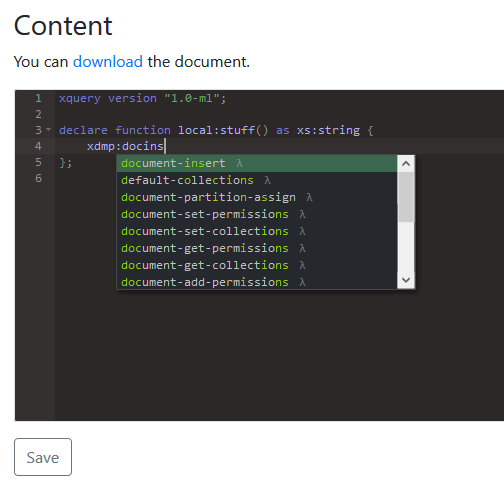
Once you configured the data source for MarkLogic, you can edit XQuery modules with MarkLogic function completion, edit files on place in the database, run queries from within oXygen like you would in QConsole, and much more.
And if you are a debugger kind of guy, there is even a debugger for XQuery on MarkLogic.
Check out the documentation for all details.
Emacs
This part is probably very specific to my own preferences. The general idea is to configure your preferred text editor to support MarkLogic functions, especially for JavaScript.
I have been using Emacs for 2 decades now, for almost everything. oXygen is the only tool to get me out of it sometimes, when I need an easy way to execute transformations or queries.
So I configured it to provide completion for MarkLogic functions, both in XQuery and JavaScript. This is all I need for pure source code typing: https://github.com/fgeorges/company-ml.
If you use something else for JavaScript, check out the extensions for your editor. I think there are several editors with a MarkLogic extension.